
Field debt collection software, from portfolio to outcome.
YuTrack is field debt collection software for collections teams in Chile, developed by Sumeria Digital Service. Organize your portfolio, plan visits, log every activity in the collections app and monitor your field agents from the web.
Companies like Banco Santander, Falabella.com, and Lipigas trust YuTrack.
- Activity loggedOutcome with a form
- Visit plannedAgent's workday
- 50% coverageDemo data
Companies that trust YuTrack







Field collections management,
without losing context.
Four steps your team already knows. Each one solves a concrete problem in your collections operation.
- Step 01
Organize
Your portfolio, in contextSolvesA portfolio that is hard to prioritize
Search accounts and review priorities, operations and history before taking the next step.
Portfolio and account details - Step 02
Plan
A shared workdaySolvesField work disconnected from the office
Select visit points and send each agent their schedule in the mobile app.
Planning and mobile app - Step 03
Collect
Every outcome countsSolvesScattered results
Log the field activity and complete the outcome form from the app.
Activities and forms - Step 04
Supervise
Progress at a glanceSolvesFollow-up that is hard to track
Review coverage, contacts and team activity to guide the next step.
Monitoring dashboard
Agent and portfolio monitoring,
in a single dashboard.
Organize the portfolio, open each account's context and review team coverage and activity. The dashboard adapts what it shows to supervisor and agent permissions.
- Portfolio under controlSearch, filters and priorities to see what has been worked and what is pending.
- Context per agentOperations and history in each account's profile, within each scope.
- Planned visitsWorkday planning in list and map views.
- Activity and outcomesChannels, contacts and coverage to guide supervision.
Your operation's progress, in one place.
Worked 3
To work 3
Team: 3 of 6 accounts worked · 50% coverage.
Collections app
for field agents.
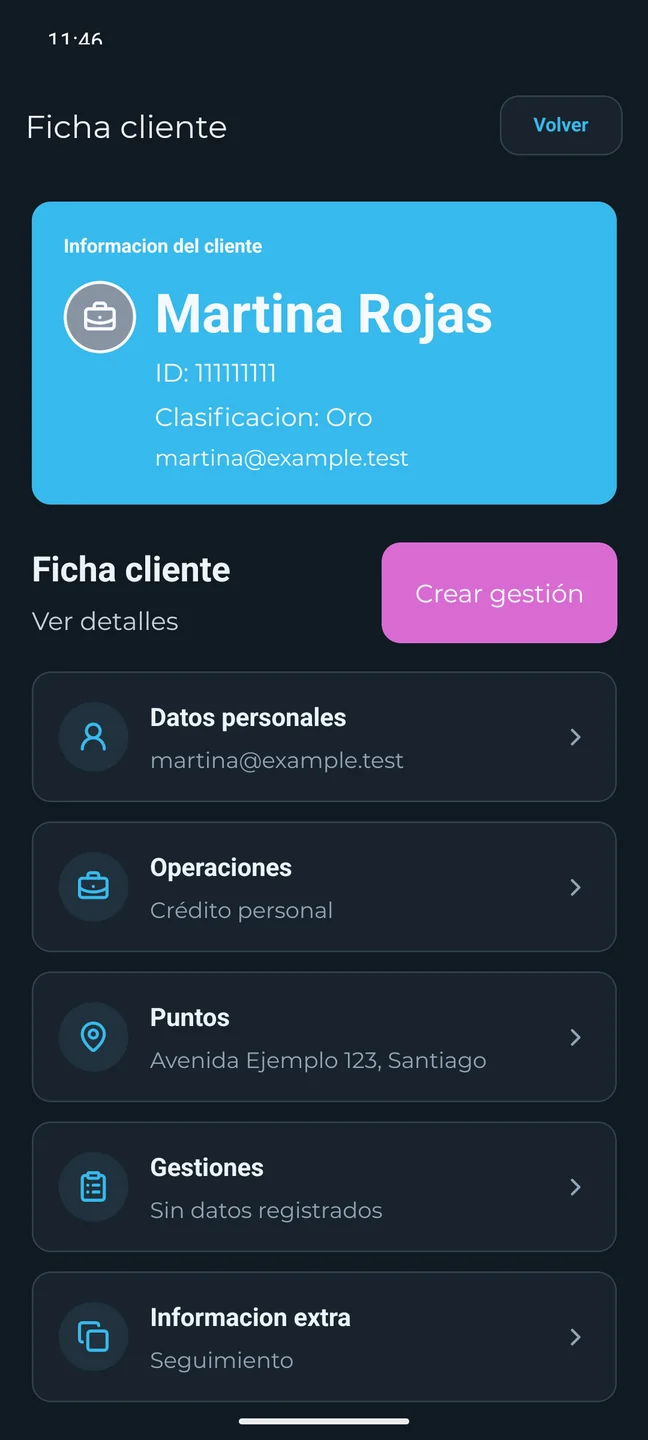
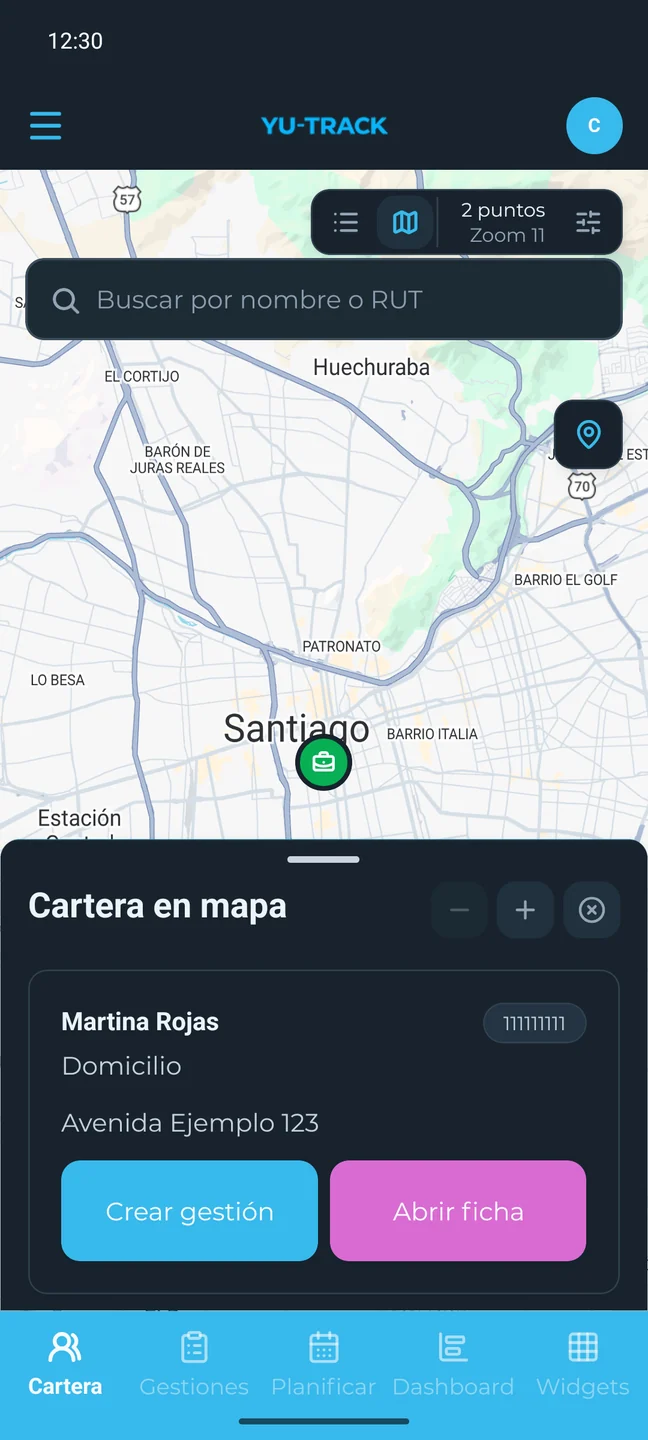
Bring information to where the work happens. Check the portfolio, review the account profile and log what happened from the mobile app. This is the real app, with fictional data.
- Accounts and operations within your team's reach.
- Activities with outcome forms.
- Workday planning and follow-up.
- Printed notices linked to the activity.
Continuity when the signal drops. Some activities, forms and photos can be logged with preloaded data and synced later. Planning and remote calls require an internet connection.
Visit notices printed from the app.
From the app, the agent selects a template, reviews its content and prints a notice to hand to the customer. The print is linked to the activity.
- 01A message prepared for your operation
Templates managed from the web, by branch and activity type.
- 02Review before printing
Choose the notice and check its preview in the mobile app.
- 03Printing, linked to the activity
Keep track of which template was printed, when and by whom.
Interactive demo: log your first activity.
Find an account, open its profile and log an outcome. Then watch the dashboard change.
Local walkthroughs · Fictional data · Reset anytimeFrequently asked questions
about the collections software.
What's worth knowing about the experience and its scope.
01Which teams is YuTrack designed for?
YuTrack is designed for collections teams that need to organize portfolios, coordinate agents and follow up on activities in the office and in the field. The web platform supports supervision and operations work; the mobile app brings the portfolio and outcome logging to the field team.
02How do the web platform and the mobile app work together?
The web organizes and supervises the operation, and the mobile app brings the portfolio and activity logging to agents in the field. From the web you can browse the portfolio, plan visits, review activities and monitor metrics. In the app, agents look up their accounts, open the account profile and log activities and forms. Access, activity types and forms depend on each operation's configuration.
03What can I do offline?
Offline, the app lets agents check data already downloaded and log certain in-person activities, forms and photos to sync later. The portfolio and catalogs must be downloaded in advance. Planning new workdays, remote calls and messaging require an internet connection. Routes already in progress have dedicated access. The scope depends on the flow and the downloaded data.
04Can the outcome forms be customized?
Yes, the platform includes a form builder with fields such as text, selection, date, number, files and photos. The forms and actions available for an activity depend on the operation's configuration.
05Can I print a notice during a visit?
Yes, the app can print a notice on a configured Epson TM-P20 for incomplete or completed field activities. The agent selects an available template and reviews the notice before printing. Templates are managed from the web by authorized staff. The print is recorded on the activity; that record does not prove the customer received the notice. The mobile demo lets you try a simulation without connecting a printer.
06What can I do in the interactive demos?
In the web and mobile demos you can search accounts, log outcomes and change the sample planning with fictional data. They run with no backend access. Changes live in this browser session and are cleared with “Reset demo”. The in-browser mobile experience is an interactive representation, not the React Native app running on the web.
07How do we schedule a demo?
Fill in the “Request a demo” form, or write to contacto@yu-track.com or reach us on WhatsApp. Tell us how your portfolio is organized, how many people are involved and what you need to supervise, and we will get in touch to schedule it. Implementation terms are reviewed based on the scope of your operation.
08What can we review in a sales demo?
In a sales demo we review your operation's workflow: how you organize the portfolio, what the team needs to log and how you supervise results. The demo helps you see which capabilities and configurations fit that process, without assuming integrations or features that have not been confirmed.
Request a YuTrack demo for your collections operation.
Let's review how to organize your portfolio, support your team and bring visibility to your collections process.
- Emailcontacto@yu-track.com
- WhatsApp+56 9 3065 8440
A demo built around your operation
- How your portfolio is assigned and accessed.
- How your team works in the office and in the field.
- Which results your supervisors need to review.